

Overview
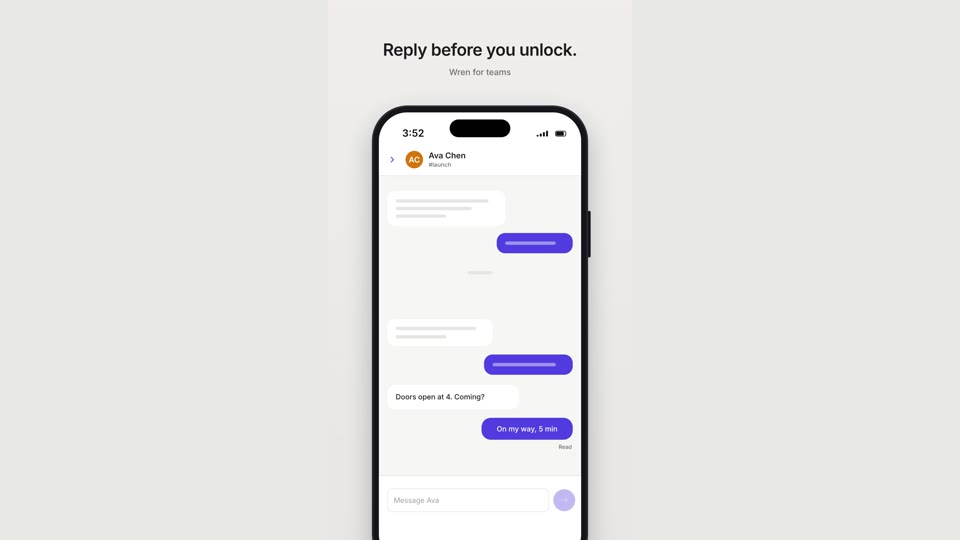
Made with Mografy Stage, driven by touch instead of a cursor. A message lands on the lock screen of a phone cropped by the bottom of the frame. A tap grows the notification into the thread as one object, a reply is typed and forms out of the field, and a press on the side button locks the phone, which is where the loop began.
Motion breakdown
- 0–2s
1. Message arrives
The notification slides onto the lock screen and holds long enough to read.
- 2–6.4s
2. Open, type, send
A tap grows the card into the conversation; the reply is typed and rises out of the field; Sent turns to Read.
- 6.4–7.6s
3. Lock is the loop
The side button presses in, the screen dims, and the lock screen returns as it began.
Open the scene
Download and unzip the project, then open it with your installed Mografy CLI.
Download scene projectnpx mografy dev ./stage-phoneWith Mografy installed, npx mografy add stage-phone copies the same project into the examples folder of your Mografy workspace (films that are not installed are downloaded from the showcase). Animation code stays in scenes/main.ts with its helpers in scenes/stage.ts. The ZIP includes the Inter font files and license.
Original prompt
Read the creative brief
Use Mografy Stage to make a 9:16 social loop for a fictional team chat app called Wren. A message arrives on the lock screen. A tap opens it, and the notification should grow into the conversation as one object. A short reply is typed and sent, then a press on the side button locks the phone, so the loop has no seam. Crop the phone with the bottom of the frame and never show it whole. Put one short headline above it. Use taps, not a cursor, and real words only for the message and the reply.