

Overview
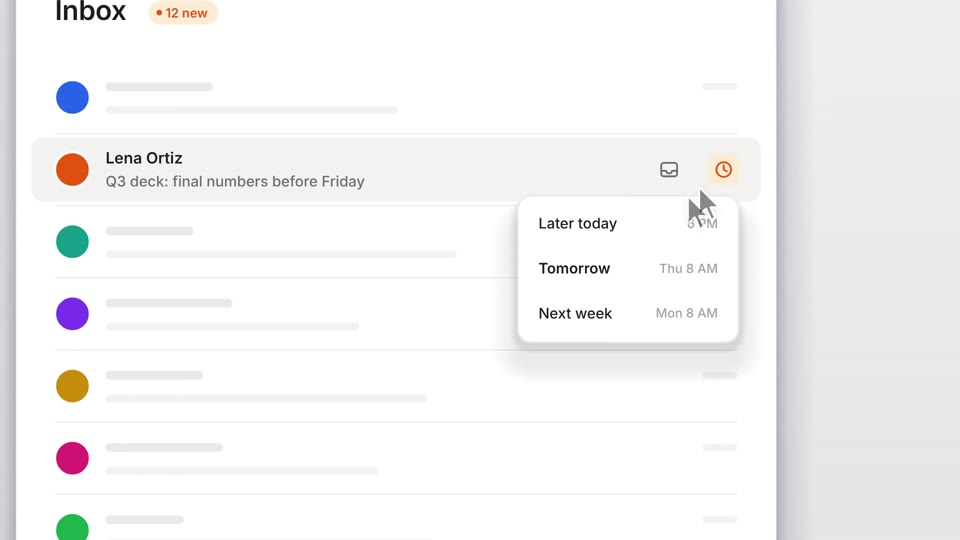
Made with Mografy Stage, in the quiet card chrome. Hovering an email reveals its actions, the clock opens a small menu, and Tomorrow snoozes the email: it slides away and the list closes up. The toast’s Undo brings it back, which is the loop. Only one email has words.
Motion breakdown
- 0–2.2s
1. Hover
The camera leans in and hover reveals the row’s actions.
- 2.2–5.6s
2. Snooze
The clock opens the menu, Tomorrow is picked, and the list closes up.
- 5.6–8s
3. Undo
Undo in the toast brings the email back.
Open the scene
Download and unzip the project, then open it with your installed Mografy CLI.
Download scene projectnpx mografy dev ./stage-snoozeWith Mografy installed, npx mografy add stage-snooze copies the same project into the examples folder of your Mografy workspace (films that are not installed are downloaded from the showcase). Animation code stays in scenes/main.ts with its helpers in scenes/stage.ts. The ZIP includes the Inter font files and license.
Original prompt
Read the creative brief
Use Mografy Stage to make a small feature card for a fictional mail app called Hearthmail, as one quiet card running off the bottom of the frame. Hover an email, click the snooze clock, pick Tomorrow: the email slides away and the list closes up. Then Undo in the toast brings it back. One email has real words; the others are lines.