

Overview
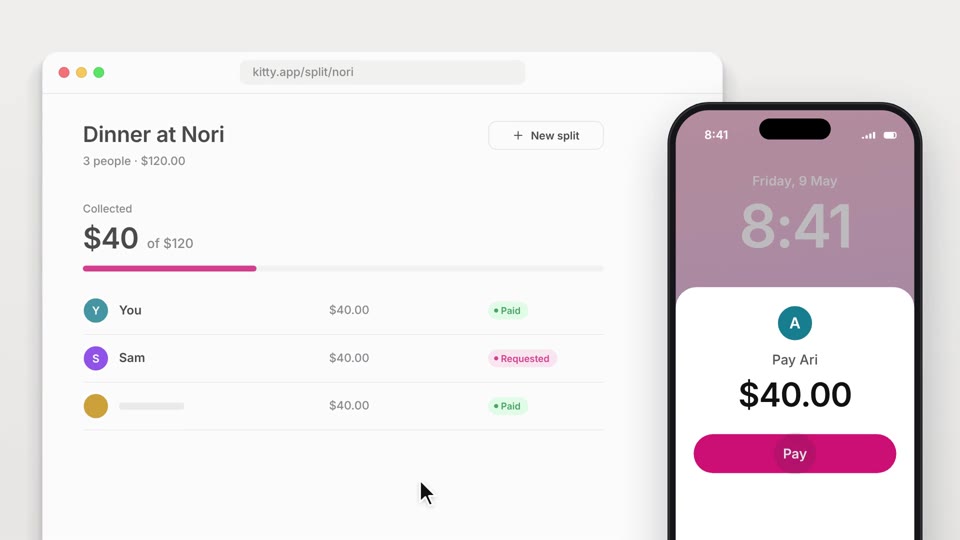
Made with Mografy Stage, with a browser window and a phone in one frame. Ari requests $40 on the web; it arrives on Sam’s phone, which overlaps the window and is cropped by the frame. A tap opens it, a second tap pays, and the web total rolls while Sam’s row turns Paid. The window steps back while the phone has the viewer’s attention.
Motion breakdown
- 0–2.2s
1. Request
The cursor clicks Request $40.
- 2.2–4.7s
2. On the phone
The request arrives, a tap opens it, and a tap pays.
- 4.7–10s
3. Paid
The web total rolls to $80, Sam turns Paid, and New split resets.
Open the scene
Download and unzip the project, then open it with your installed Mografy CLI.
Download scene projectnpx mografy dev ./stage-requestWith Mografy installed, npx mografy add stage-request copies the same project into the examples folder of your Mografy workspace (films that are not installed are downloaded from the showcase). Animation code stays in scenes/main.ts with its helpers in scenes/stage.ts. The ZIP includes the Inter font files and license.
Original prompt
Read the creative brief
Use Mografy Stage to make a looping demo for a fictional bill-splitting app called Kitty, with a laptop browser and a phone in one frame. On the web, Ari requests $40 from Sam. It arrives on Sam’s phone, he taps it and pays. Back on the web, the total rolls up and Sam’s row turns Paid. Crop the phone with the bottom of the frame, and let the window step back while the phone has focus.