

總覽
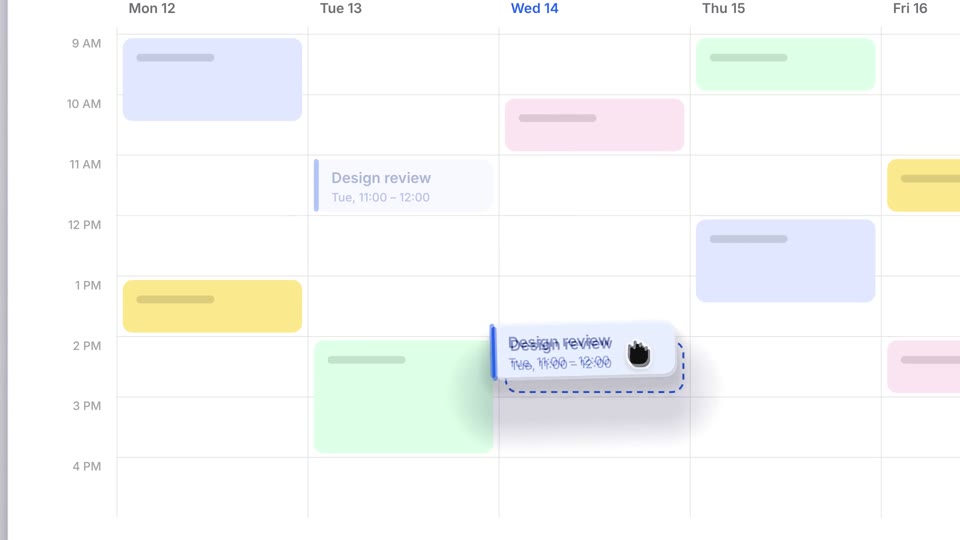
用 Mografy Stage 製作,在瀏覽器視窗裡。手抓住會議卡片的邊緣,讓標題保持可讀;卡片浮起並微微傾斜,放置目標一格一格跳,而不是一路追著跑。卡片落在週三,三位參加者一個接一個確認。把它拖回週二就是 loop。
動態解析
- 0–1.4s
1. 推近
鏡頭推近週二和週三;手移到卡片上。
- 1.4–2.6s
2. 搬動
卡片浮起並跟著移動;虛線目標一格一格吸附;落在週三下午 2 點。
- 2.6–7.5s
3. 確認並拖回
參加者確認,鏡頭拉回,卡片被拖回原處。
開啟場景
下載並解壓縮專案,再以已安裝的 Mografy CLI 開啟。
下載場景專案npx mografy dev ./stage-calendar安裝好 Mografy 後, npx mografy add stage-calendar 會把同一個專案複製到 Mografy 工作區的 examples 資料夾(沒有隨安裝附上的影片會從 Showcase 下載)。動畫程式碼在 scenes/main.ts ,輔助函式位於 scenes/stage.ts。ZIP 內含 Inter 字型檔與授權文件。
原始提示詞
閱讀創作需求
Use Mografy Stage to make a looping demo for a fictional calendar app called Plume, in a browser window. Someone drags “Design review” from Tuesday 11 AM to Wednesday 2 PM. The card should lift under the hand, and the drop target should jump from cell to cell, not slide. When it lands, the attendees confirm. Then drag it back so the loop closes. Only the event and the calendar labels are real words.