

總覽
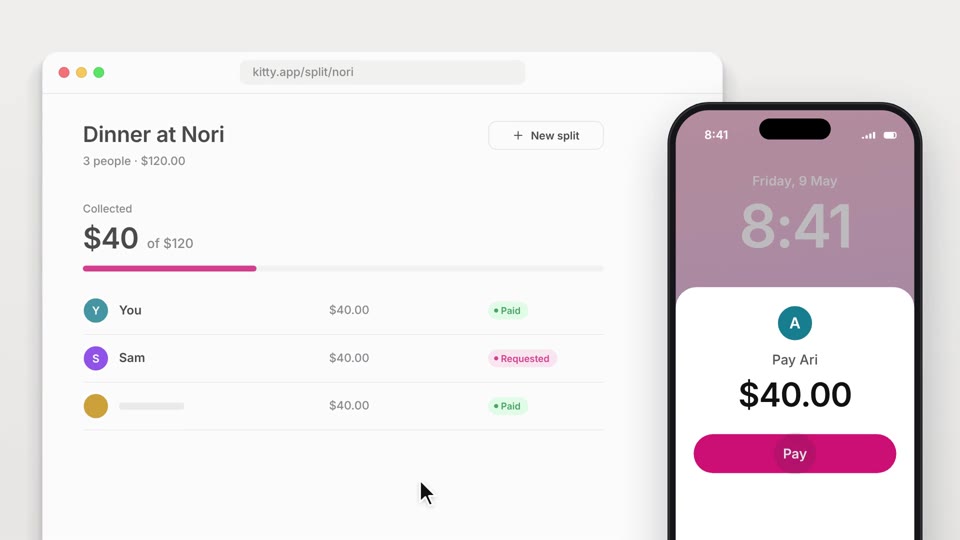
用 Mografy Stage 製作,瀏覽器視窗和手機在同一個畫面裡。Ari 在網頁上請 Sam 付 $40;請求出現在 Sam 的手機上,手機疊在視窗上並被畫面裁切。點一下打開,再點一下付款,網頁上的總額跟著滾動,Sam 那一列變成 Paid。手機吸引視線時,視窗會往後退。
動態解析
- 0–2.2s
1. 請款
游標點擊 Request $40。
- 2.2–4.7s
2. 在手機上
請求抵達,點一下打開,再點一下付款。
- 4.7–10s
3. 已付款
網頁總額滾到 $80,Sam 變成 Paid,New split 讓一切重置。
開啟場景
下載並解壓縮專案,再以已安裝的 Mografy CLI 開啟。
下載場景專案npx mografy dev ./stage-request安裝好 Mografy 後, npx mografy add stage-request 會把同一個專案複製到 Mografy 工作區的 examples 資料夾(沒有隨安裝附上的影片會從 Showcase 下載)。動畫程式碼在 scenes/main.ts ,輔助函式位於 scenes/stage.ts。ZIP 內含 Inter 字型檔與授權文件。
原始提示詞
閱讀創作需求
Use Mografy Stage to make a looping demo for a fictional bill-splitting app called Kitty, with a laptop browser and a phone in one frame. On the web, Ari requests $40 from Sam. It arrives on Sam’s phone, he taps it and pays. Back on the web, the total rolls up and Sam’s row turns Paid. Crop the phone with the bottom of the frame, and let the window step back while the phone has focus.