

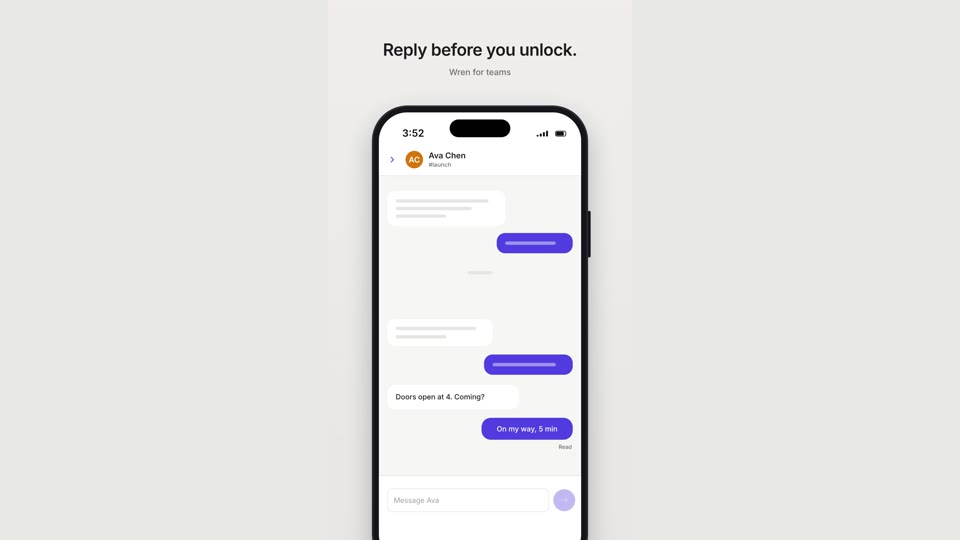
總覽
用 Mografy Stage 製作,用觸控而不是游標驅動。一則訊息出現在手機的鎖定畫面上,手機被畫面底部裁切。點一下,通知就作為同一個物件長成對話;回覆被輸入,從輸入框中成形;最後按下側邊按鈕鎖定手機,正好回到 loop 的起點。
動態解析
- 0–2s
1. 訊息抵達
通知滑進鎖定畫面,停留到足以閱讀。
- 2–6.4s
2. 打開、輸入、送出
點一下,卡片長成對話;回覆被輸入並從輸入框升起;Sent 變成 Read。
- 6.4–7.6s
3. 鎖定就是 loop
側邊按鈕被按下,螢幕變暗,鎖定畫面回到一開始的樣子。
開啟場景
下載並解壓縮專案,再以已安裝的 Mografy CLI 開啟。
下載場景專案npx mografy dev ./stage-phone安裝好 Mografy 後, npx mografy add stage-phone 會把同一個專案複製到 Mografy 工作區的 examples 資料夾(沒有隨安裝附上的影片會從 Showcase 下載)。動畫程式碼在 scenes/main.ts ,輔助函式位於 scenes/stage.ts。ZIP 內含 Inter 字型檔與授權文件。
原始提示詞
閱讀創作需求
Use Mografy Stage to make a 9:16 social loop for a fictional team chat app called Wren. A message arrives on the lock screen. A tap opens it, and the notification should grow into the conversation as one object. A short reply is typed and sent, then a press on the side button locks the phone, so the loop has no seam. Crop the phone with the bottom of the frame and never show it whole. Put one short headline above it. Use taps, not a cursor, and real words only for the message and the reply.