

總覽
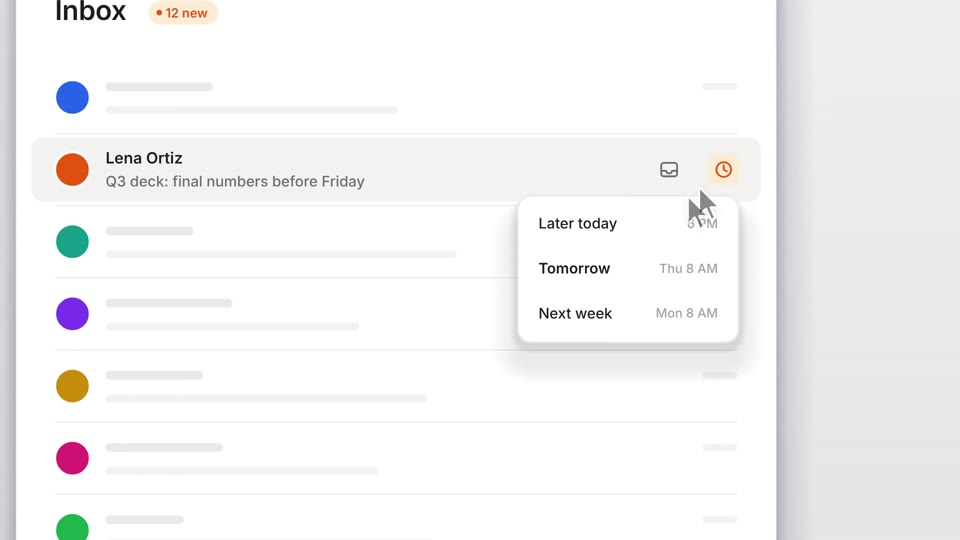
用 Mografy Stage 製作,採用安靜的卡片外框。滑過一封郵件會出現操作按鈕,時鐘打開一個小選單,選 Tomorrow 就延後這封郵件:它滑走,清單收合。提示裡的 Undo 把它帶回來,就是 loop。只有一封郵件有文字。
動態解析
- 0–2.2s
1. 滑過
鏡頭推近,滑過時出現這一列的操作按鈕。
- 2.2–5.6s
2. 延後
時鐘打開選單,選了 Tomorrow,清單收合。
- 5.6–8s
3. 復原
提示裡的 Undo 把郵件帶回來。
開啟場景
下載並解壓縮專案,再以已安裝的 Mografy CLI 開啟。
下載場景專案終端機
npx mografy dev ./stage-snooze安裝好 Mografy 後, npx mografy add stage-snooze 會把同一個專案複製到 Mografy 工作區的 examples 資料夾(沒有隨安裝附上的影片會從 Showcase 下載)。動畫程式碼在 scenes/main.ts ,輔助函式位於 scenes/stage.ts。ZIP 內含 Inter 字型檔與授權文件。
原始提示詞
閱讀創作需求
Use Mografy Stage to make a small feature card for a fictional mail app called Hearthmail, as one quiet card running off the bottom of the frame. Hover an email, click the snooze clock, pick Tomorrow: the email slides away and the list closes up. Then Undo in the toast brings it back. One email has real words; the others are lines.