

總覽
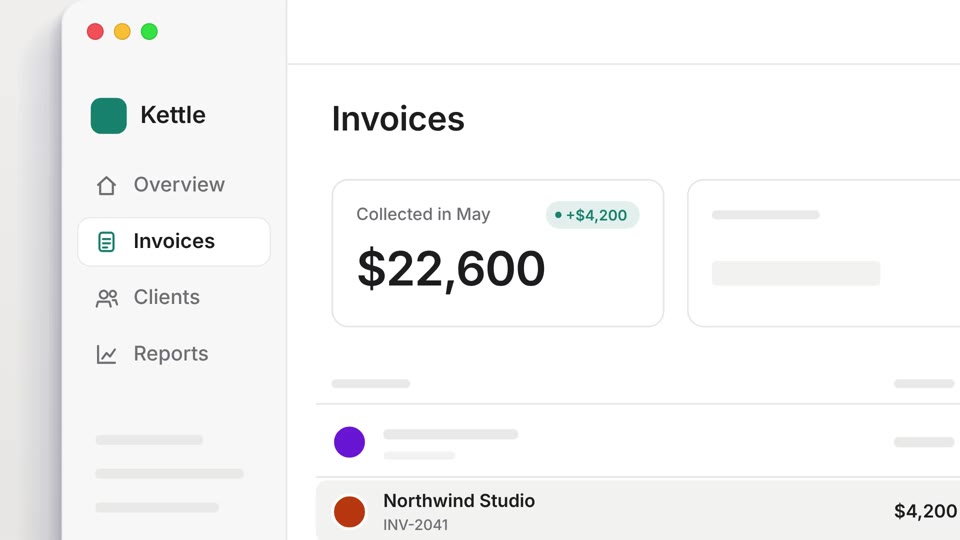
用 Mografy Stage 製作。虛構的請款 App「Kettle」從畫面的兩個邊出血,只有故事需要的字是真的。按下 Mark paid,$4,200 飛進本月總額,總額一位一位滾上去,鏡頭同時推近。在畫面上點擊提示裡的 Undo,一切回到原狀,所以 loop 沒有接縫。可以把 Look 參數切換成 light、dark、blueprint 或 minimal。
動態解析
- 0–1.5s
1. 點擊的理由
游標先停住,再沿弧線移到 Mark paid;滑過時整列亮起,按鈕被按下。
- 1.5–5s
2. 成果
Overdue 變成 Paid,金額飛進總額,變動的位數滾動,鏡頭推近並停住。
- 5–7s
3. Undo 就是 loop
游標點擊提示裡的 Undo,一切復原,游標回到起點。
開啟場景
下載並解壓縮專案,再以已安裝的 Mografy CLI 開啟。
下載場景專案npx mografy dev ./stage-invoices安裝好 Mografy 後, npx mografy add stage-invoices 會把同一個專案複製到 Mografy 工作區的 examples 資料夾(沒有隨安裝附上的影片會從 Showcase 下載)。動畫程式碼在 scenes/main.ts ,輔助函式位於 scenes/stage.ts。ZIP 內含 Inter 字型檔與授權文件。
原始提示詞
閱讀創作需求
Use Mografy Stage to make a 7-second looping homepage hero for a fictional invoicing app called Kettle. Story: someone marks an overdue invoice as paid. The amount flies into “Collected in May” and the total rolls up. Then they click Undo in the toast, so the loop ends where it began. Pin the app window to the top left so it runs off the right and bottom edges. Keep real words only for the story: the brand, the nav, the paid row and the total. Everything else should be placeholder lines. Light look, teal accent. Lean the camera in on the total once.